FLOOR PLAN
Plan: the first
layer of control.
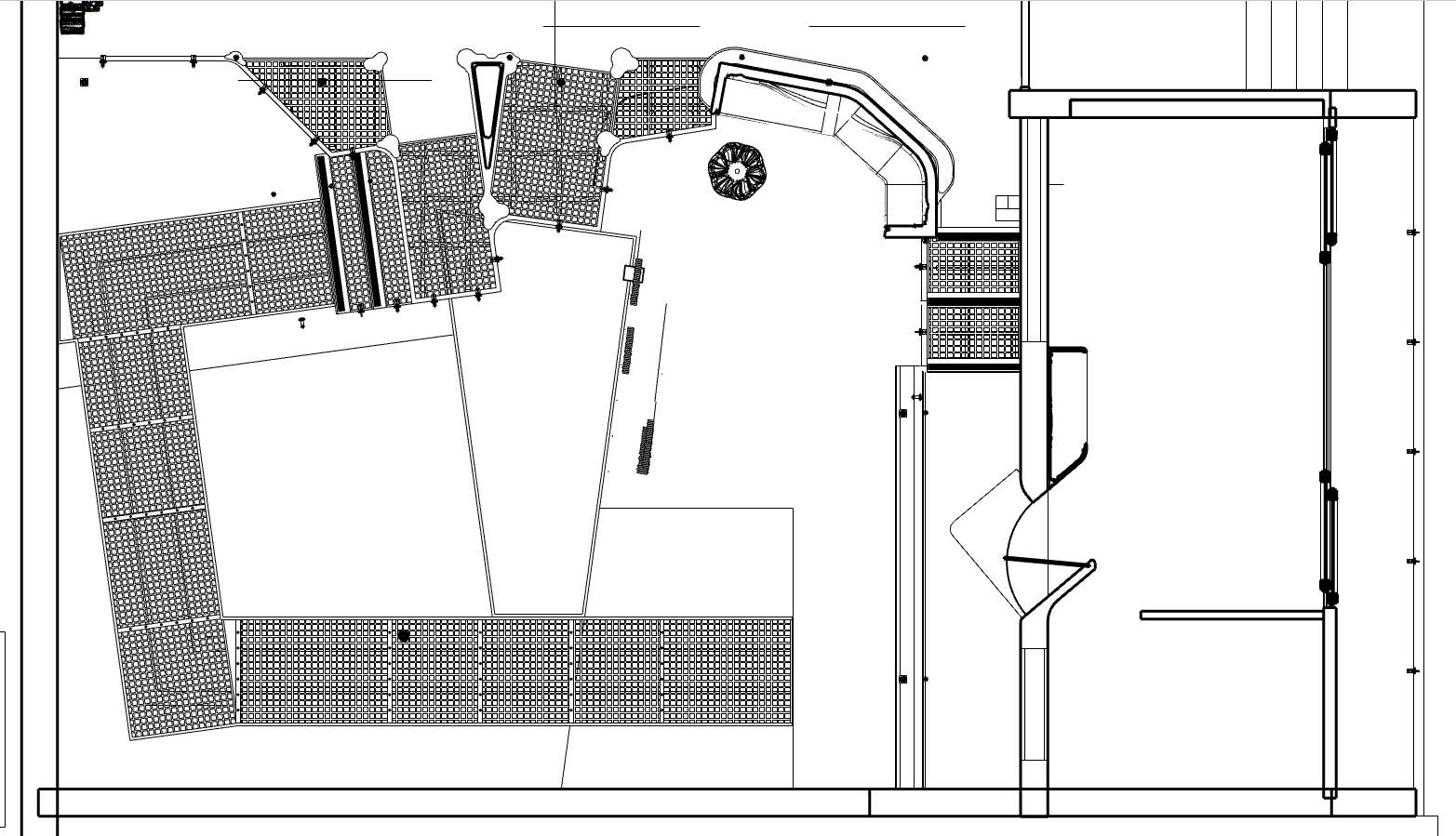
The floor plan is already part of the design. Add annotations below to define the world model’s first layer of spatial control.
 sceneply
DESIGN-GUIDED WORLD GENERATION
Turn existing design files into immersive spaces for client review.
Help clients understand scale, atmosphere and how rooms connect—before anything is built.
Explore a proposal from inside.
Start with the files your team already creates.
Review day and night in the same view.
Drag the divider to compare day and night.
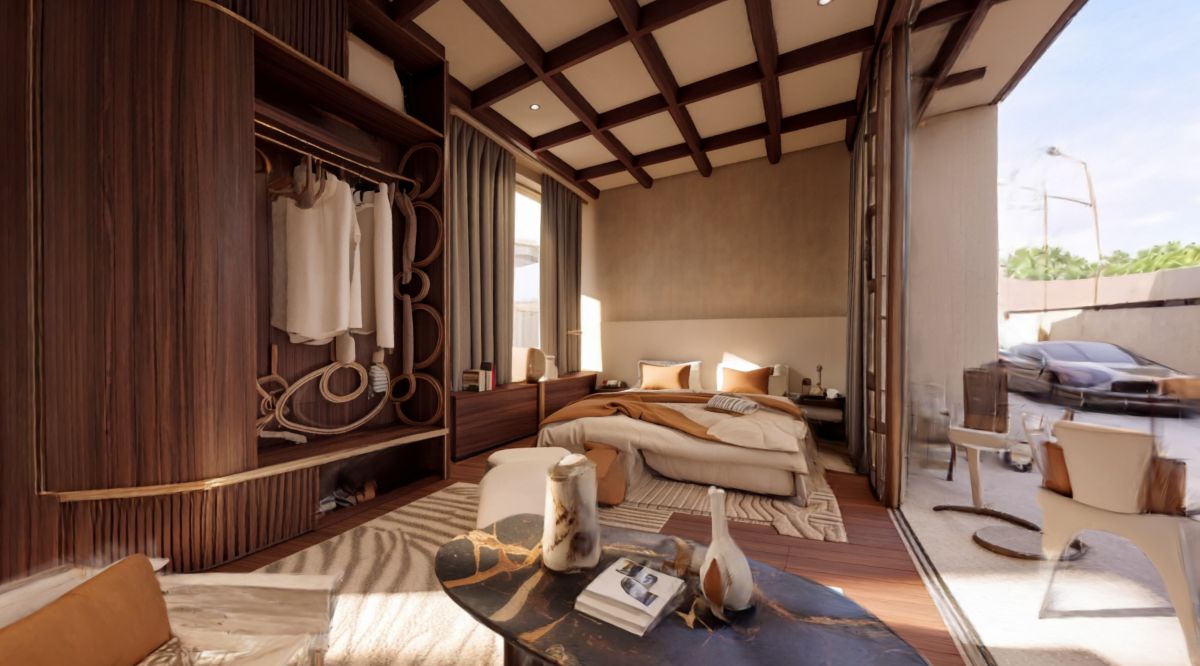
Interactive 3D · Two lighting conditions · Downloads approximately 71 MB
Preparing the space…
You can still inspect the design workflow below.
Two generated scenes, one synchronized view. Geometry may differ; for design review, not precise measurement.
Sceneply adds constraints from your existing design files. No extra set of assets to create.
FLOOR PLAN
The floor plan is already part of the design. Add annotations below to define the world model’s first layer of spatial control.
MODEL VIEWS
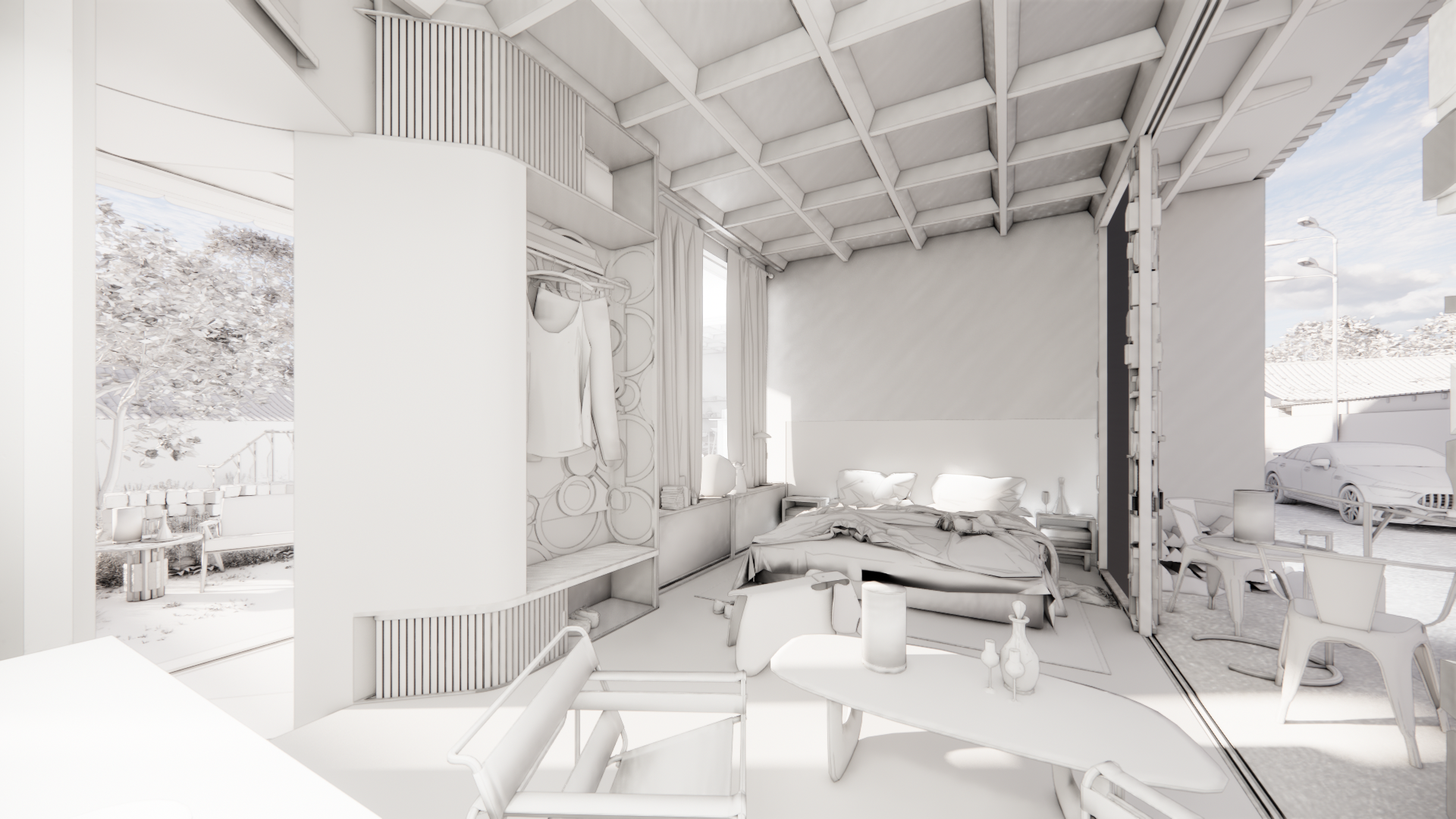
White-model renders help clients understand a space. Across multiple views, they also provide a second layer of spatial constraints.
CAMERA PATH
A camera path follows how people look through a space. It adds a third layer of guidance for a more natural viewing experience.
NANO BANANA / AI RENDERS
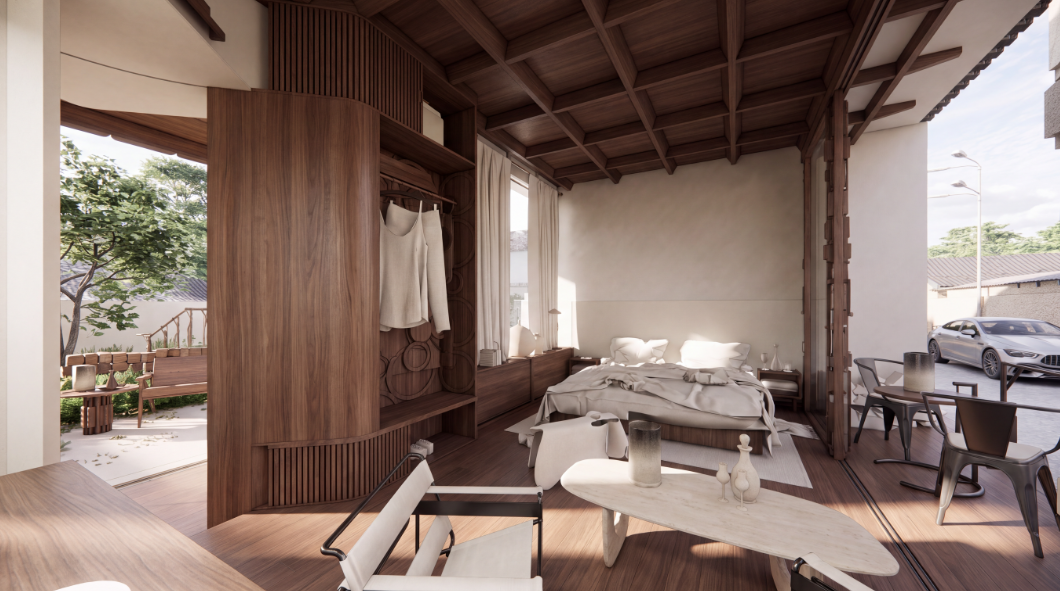
We use Nano Banana’s multi-view consistency to carry materials, objects and atmosphere from the main view across the space.
01 / FLOOR PLAN
We want designers to annotate the floor plan they already use. These notes make the intended spatial structure explicit, forming the first layer of conditions for the world model.
Existing plan → designer annotations → spatial constraints.
THE FOUR DESIGN INPUTS ABOVE
01 / SCENEPLY
Turn the plan, model views, camera path and AI renders into spatial and visual constraints.
OUTPUT: DESIGN CONDITIONS02 / THIRD-PARTY WORLD MODEL
The world model uses Sceneply’s conditions to guide the generated 3D scene.
OUTPUT: AN EXPLORABLE SCENE03 / CLIENT REVIEW
Explore the space together to understand the design intent and discuss what should change.
Explore the room demoWe are testing layout fidelity and consistency across views. Design conditions guide generation; exact geometry is not guaranteed.
VR EXPLORATIONS / DESIGN COMMUNICATION
Our VR interactions help designers communicate their full design intent, so clients can understand the space and offer more specific, actionable feedback.
BUILT FOR EARLY-STAGE DESIGN
Keep the fast visual feedback of AI rendering. Extend it into an immersive design review.
View 01 · Two references for the same camera: structure and appearance.
Generation time and revision effort are being tested.
Experimental reference workflow: nine images and one camera video feed a Seedance 2.5 node and video export. Shown for reconstruction testing; generation does not run on this page.
Start with early design reviews. Turn repeatable project work into a product.
Studios presenting concept designs to clients. Planned pilots begin with our London network.
Standardize project delivery, then test team subscriptions, generation fees and hosting.
Pricing and unit economics remain to be validated.A design constraint layer built on third-party world models.
WHERE WE ARE
Next: test the prototype in a real client review.
Explorable scenes, day/night comparison and a reference workflow.
VR scene switching and spatial annotations.
Measure design understanding, fidelity, correction effort and cost. Customer validation is still ahead.
Met at UCL Bartlett in 2024. Building Sceneply together since July 2026.
Leads Gaussian splatting and world-model integration. Architectural practice at Foster + Partners, and co-founder of Studio Wernacular.
Gaussian splatting · World-model integration · Architectural workflow
Leads experience and software development at Sceneply. Currently develops software to support architectural design at Remap.
Software · VR interaction · Product experience
FROM A PROPOSAL TO A PLACE.
Sceneply is developing accessible immersive
experiences for architecture and interior design.